
If you’re running Pokémon Emerald in My Boy! and trying to get a cheat code to actually work, you’re in the right place. My Boy! has built-in support for cheat codes, but the codes only work if you use the right format, enter them correctly, and understand a few quirks of how the emulator handles them.
Direct answer: Yes, My Boy! supports Pokémon Emerald cheats. The emulator has a built-in cheat manager that accepts GameShark, Action Replay, and CodeBreaker-format codes, and lets you turn them on or off while the game is running. To use one, you open the in-game menu, go to the cheat section, add the code with a name and the correct format, save it, then enable it from the cheat list.
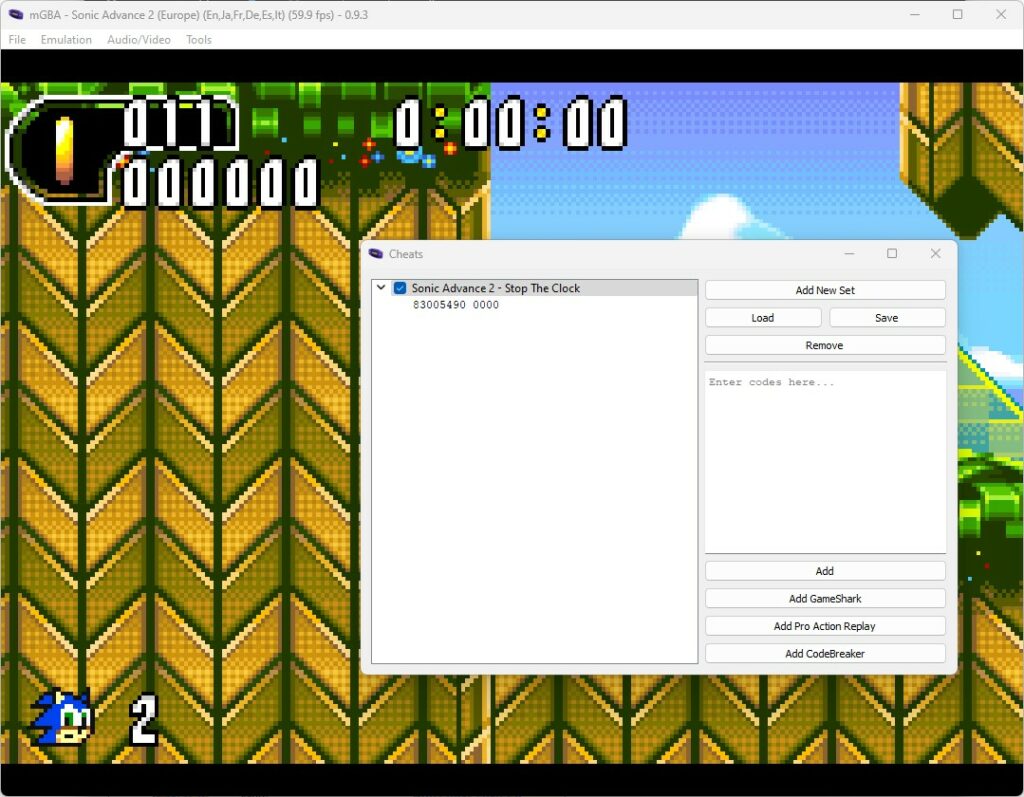
This guide covers where the cheat menu is, how to add and activate a code correctly, how to tell cheat types apart, why a code might not work, and how to use cheats without putting your save file at risk.
Does My Boy Support Pokémon Emerald Cheats?
Yes. According to My Boy!’s own official description on the Google Play Store, the emulator lets you enter multilined GameShark, Action Replay, and CodeBreaker cheat codes and enable or disable them on the fly while the game is running. This is a built-in feature, not a workaround — Pokémon Emerald is one of the most commonly cheated GBA games, and My Boy!’s cheat system was built with exactly this kind of use case in mind.
What that means in practice:
- You don’t need a separate app or plugin — cheats are entered directly inside My Boy!.
- Codes can be multiple lines long, which matters because many Pokémon Emerald cheats (especially master codes) use two or more lines.
- You can toggle a cheat on or off without restarting the game, which is useful for one-time effects like spawning an item versus permanent effects like walking through walls.
If you haven’t set up My Boy! and Pokémon Emerald yet, our complete My Boy emulator guide covers installation and basic setup before you get to cheats.
What You Need Before Adding a Cheat
A few things make the process go smoothly and protect your progress:
- Pokémon Emerald already running correctly in My Boy!. Cheats are entered per-game, so the ROM needs to be loaded and playable first.
- A backup of your save file. My Boy! lets you save at any time and sync saves to Google Drive, and it’s worth using that before testing anything new — a bad cheat entry is far easier to fix if you have a save to fall back on.
- The correct cheat format for the code you’re using — GameShark, Action Replay, or CodeBreaker. Entering a code under the wrong type is one of the most common reasons a “correct” code does nothing.
- Awareness that codes are version-specific. A code written for one dump or region of Pokémon Emerald can fail, do nothing, or occasionally behave oddly on a different one, since codes point to specific memory addresses in that exact game file. If a widely-shared code doesn’t work, a version mismatch is one of the first things to suspect, not necessarily a typo.
How to Add a Pokémon Emerald Cheat in My Boy
- Open Pokémon Emerald in My Boy! and let it load normally.
- Open the in-game menu — this is usually accessed through the menu/settings icon on the emulator’s on-screen controls or toolbar while the game is running.
- Find the Cheat option in that menu (it may be labeled “Cheat” or “Cheats”).
- Choose to add a new cheat.
- Enter a name for the cheat so you can identify it later (e.g., “Rare Candy” or “Walk Through Walls”).
- Select the correct cheat type — GameShark, Action Replay, or CodeBreaker — matching whatever the source of your code specifies.
- Type or paste the code exactly as written, including every character on every line. GBA cheat codes are case-sensitive in structure (they’re hexadecimal), and a single mistyped character will make the whole code fail.
- Save the cheat. It will now appear in your cheat list, but adding it does not automatically turn it on.
- Enable it from the list (see the activation section below) and test it in-game.
If a code requires a master code (explained next), add and enable that one first before adding the effect code — order matters.
How to Choose the Correct Cheat Type
Pokémon Emerald codes online are usually labeled as one of three types, and My Boy! supports all three:
- GameShark: The original and most widely distributed format for GBA cheats. Many older Pokémon Emerald code lists default to this type.
- Action Replay: A closely related format that largely replaced GameShark for later GBA cheat devices. Codes labeled this way are often interchangeable with GameShark codes for the same game, but not always — always use the label the source gives you.
- CodeBreaker: A separate cheat-device format with its own code structure. CodeBreaker codes are not interchangeable with GameShark/Action Replay codes even for the identical effect — using the wrong type will cause the cheat to fail or, in rare cases, behave unpredictably.
The practical rule: match the type selector in My Boy!’s cheat editor to whatever type is listed alongside the code you found. If a source doesn’t specify a type, treat that as a red flag rather than guessing.
A Note on Cheat Code Examples
Pokémon Emerald cheat codes for things like Rare Candy, infinite money, or walking through walls are widely shared online — but during research for this guide, different cheat repositories listed conflicting values for the same “master code,” which is required before many other Pokémon Emerald cheats will function at all. Because a wrong master code can do nothing at best and cause odd behavior at worst, we’re not going to hand you a code here that we can’t stand behind as accurate.
Instead: get individual codes from a dedicated, actively maintained GBA cheat database, always note the cheat type (GameShark/Action Replay/CodeBreaker) listed with the code, and test each one individually on a backed-up save. If a “master code” is listed, it typically needs to be added and enabled before any dependent cheat will work — that’s a structural requirement of how these games’ cheat systems function, regardless of which exact code values you’re using.
How to Activate a Cheat
Adding a cheat and turning it on are two separate steps in My Boy!:
- Open the Cheat menu again from the in-game menu.
- Find the cheat in your saved list.
- Toggle it on — there’s typically a checkbox or switch next to each entry.
- If the cheat doesn’t take effect immediately, try walking a few steps, opening a menu, or reloading the current area — some effects only apply once the game re-reads the relevant memory value.
- For master codes specifically, make sure the master code itself is enabled at the same time as the effect code — most Pokémon Emerald cheats won’t do anything if the master code is inactive.
How to Disable or Remove a Cheat
- To turn a cheat off temporarily: open the Cheat menu and toggle the same switch back off. The cheat stays saved in your list for later.
- To delete a cheat permanently: open its entry in the cheat list and choose the delete/remove option, then confirm.
It’s good practice to disable one-time-use cheats (like spawning a specific item) once you’ve used them, rather than leaving them running in the background — leaving unrelated effects active is a common cause of strange behavior later in the game.
Why Pokémon Emerald Cheats Are Not Working in My Boy
Short answer: the most common causes are an incorrect cheat type, a mistyped code, a missing or disabled master code, a mismatched game version, or a conflict between multiple active cheats.
In more detail:
- Wrong cheat type selected. A GameShark code entered as CodeBreaker (or vice versa) generally won’t do anything.
- Typo in the code. Even one wrong character in a hex code breaks it. Re-check every line against the original source.
- Master code missing or disabled. Many Pokémon Emerald cheats depend on a master code being active at the same time. If you only entered the effect code, it likely won’t work.
- Game version or ROM mismatch. A code written for a different revision or region of Pokémon Emerald can fail even if entered perfectly.
- Conflicting cheats. Two active cheats that touch the same or related memory values can cancel each other out or cause glitches. Try disabling all but one cheat and re-testing.
- Cheat added but not enabled. This is an easy one to miss — adding a code to the list doesn’t turn it on.
- Timing. Some cheats only apply after a menu refresh, area change, or game restart, rather than the instant you toggle them.
- Save-state related oddities. If you loaded a save state (rather than a normal save) with different cheats active previously, leftover effects can look like a broken new cheat. Testing from a normal save file first helps rule this out.
Pokémon Emerald Cheat Tips
- Back up your save before trying a new cheat, especially anything that modifies Pokémon data, items, or story flags.
- Test one new cheat at a time. If something breaks, you’ll know exactly which code caused it.
- Disable cheats you’re done using, rather than leaving unrelated effects running for the rest of your playthrough.
- Don’t stack unverified codes. Community reports suggest that combining certain effects — for example, trying to force a specific nature at the same time as a shiny encounter — doesn’t reliably work as a stacked pair, and can behave unpredictably. If you want a specific combined outcome, it’s often more reliable to apply one effect, save, then apply the next.
- Save normally before experimenting, and treat save states as a convenience, not a substitute for a real save file.
Can Pokémon Emerald Cheats Damage Your Save?
Cheats don’t inherently corrupt a save file just by existing. Most well-formed, correctly-typed codes for effects like items or money simply change a value in memory and save normally. That said, problems can occur when:
- A cheat writes to a memory address it wasn’t really designed for the game to write to, due to a version mismatch or an incorrect/garbled code.
- Multiple cheats conflict and produce an invalid game state that then gets saved.
- A cheat is left active during a sensitive moment (a trade, a battle transition, a legendary encounter script) it wasn’t tested for.
This is a real but avoidable risk, not a guarantee — which is exactly why backing up your save before experimenting is worth the thirty seconds it takes. If something does go wrong, having a recent backup means you lose minutes, not hours.
Frequently Asked Questions
Can you use cheats in Pokémon Emerald on My Boy? Yes. My Boy!’s official feature list confirms support for entering GameShark, Action Replay, and CodeBreaker codes and toggling them on or off during gameplay.
Why are Pokémon Emerald cheats not working in My Boy? The usual causes are choosing the wrong cheat type, a mistyped code, a missing master code, a version-mismatched ROM, or another active cheat conflicting with it. Disable all but one cheat and confirm the type and code match your source exactly before troubleshooting further.
Which cheat type should I use in My Boy? Use whatever type your code source specifies — GameShark, Action Replay, or CodeBreaker. These formats are not always interchangeable, so guessing the type is a common reason cheats fail.
Do Pokémon Emerald cheats require a master code? Many do. A master code typically has to be added and enabled alongside the effect code, or the effect code alone won’t do anything. Always check whether the code you’re using specifies a required master code.
How do I turn off cheats in My Boy? Open the Cheat menu, find the entry in your list, and toggle it off. You can delete it entirely from the same menu if you no longer need it.
Can My Boy cheats corrupt a Pokémon Emerald save? Not automatically, but poorly matched, mistyped, or conflicting cheats can produce unexpected results that then get saved. Backing up your save before testing new codes is a simple way to avoid losing progress.
Can I use GameShark codes in My Boy? Yes — GameShark is one of the three cheat formats My Boy! officially supports, alongside Action Replay and CodeBreaker.
MyBoyAPK.com is an independent guide site and is not affiliated with the developer of My Boy! or Nintendo. Game files should be obtained through lawful means appropriate to your jurisdiction.
If you’re also setting up multiplayer features, check out our Pokémon trading guide and our My Boy Link Play guide for getting two devices connected.