If you just want the short version: for most people, Linkboy is the strongest all-around pick right now, because it’s the only app in this comparison that’s still being actively updated. My Boy! is still the most familiar name and works fine for plenty of people, but its Google Play listing hasn’t seen a real update in years. If you want a completely ad-free, no-frills option, Pizza Boy GBA is worth a look, and if you care more about raw emulation accuracy than convenience, RetroArch with the mGBA core is hard to beat.
None of that means My Boy! is a bad choice — it’s been the default GBA emulator on Android for over a decade for good reason. But “best” depends on what you’re optimizing for, so here’s how the main options actually compare.
- What Makes a GBA Emulator “Best” on Android?
- The Main Contenders
- Linkboy — Best Overall, Best for Ongoing Support
- My Boy! — Best for Familiarity and a Huge Install Base
- Pizza Boy GBA — Best Lightweight, Ad-Free Option
- John GBA — Best Fallback for Compatibility Issues
- RetroArch (mGBA core) — Best for Accuracy and Multi-System Play
- GBA.emu — Best Minimalist, Low-Latency Option
- Quick Comparison
- Common Problems Across Android GBA Emulators
- Frequently Asked Questions
What Makes a GBA Emulator “Best” on Android?
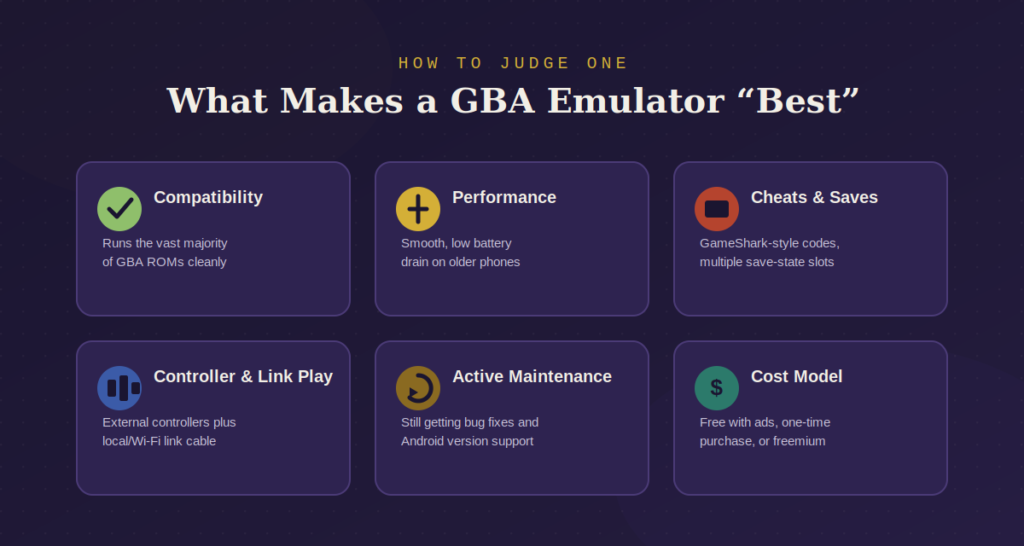
Before ranking anything, it helps to know what actually separates a good GBA emulator from a mediocre one:
- Compatibility — does it run the vast majority of GBA ROMs without glitches?
- Performance — smooth emulation without excessive battery drain, especially on older phones
- Save states and cheat support — GameShark, Action Replay, or CodeBreaker-style codes, plus save-state slots
- Controller and Link Play support — external controller mapping, and local or Wi-Fi link cable emulation for multiplayer and Pokémon trading
- Active maintenance — whether the developer is still fixing bugs and supporting newer Android versions
- Cost model — free with ads, one-time purchase, or freemium with a paid unlock
Different apps win on different criteria, which is exactly why a single “best” answer oversimplifies things.
The Main Contenders
Linkboy — Best Overall, Best for Ongoing Support
Linkboy is published by Pixel Respawn LLC — the same developer behind My Boy! and My OldBoy! — and its official Google Play listing states plainly that it’s built as the successor to that emulator series. Its feature set covers GBA, GBC, and GB emulation, local and networked link play for up to four players, RetroAchievements support, cheat codes, controller and keyboard mapping, multiple save-state slots, GPU shader effects, and Google Drive backup for saves and cheats.
The practical reason this matters: Linkboy has received meaningful updates well into 2026, including GBC palette improvements and GBA rendering fixes, while the older My Boy! apps have gone years without a comparable update. If you want the closest thing to “My Boy!, but kept current,” this is it.
Best for: anyone starting fresh who wants ongoing support and modern features like cross-device link play.
My Boy! — Best for Familiarity and a Huge Install Base
My Boy! (and its free-tier sibling, My Boy! Lite) remains one of the most downloaded GBA emulators on Android, with tens of millions of installs and a long track record. Its official Play Store listing confirms support for GameShark, Action Replay, and CodeBreaker-format cheat codes, link cable emulation over Bluetooth or Wi-Fi, gyroscope and rumble emulation for supported cartridges, and a customizable on-screen control layout.
The trade-off is that the listing itself shows no substantive update since March 2019. That doesn’t mean it stops working — plenty of long-time users still run it without issue — but newer Android storage and permission changes can occasionally cause friction that a more actively maintained app might handle more gracefully. If you’re troubleshooting file-access or storage-permission errors, our guide to better GBA emulation performance on low-end phones covers some of the same permission quirks that show up across GBA emulators, not just My Boy!.
Best for: people who already have My Boy! set up and working well, or who prefer the interface they grew up with.
Pizza Boy GBA — Best Lightweight, Ad-Free Option
Pizza Boy GBA is written in C and assembly for efficient performance and is frequently recommended specifically because a paid version removes ads entirely. Reviewers and comparison sites describe it as clean, fast, and battery-conscious, with fast-forward, slow motion, and save states as standard features.
Best for: anyone who wants a distraction-free interface and is willing to pay a small amount to skip ads permanently.
John GBA — Best Fallback for Compatibility Issues
John GBA doesn’t get discussed as often in mainstream roundups, but it shows up repeatedly in community troubleshooting threads as the app people switch to when another emulator crashes on a specific title. That’s not a knock against My Boy! or Pizza Boy GBA — different emulation cores handle certain ROM hacks and edge-case titles differently — but it’s a useful second option to have installed if your first choice won’t load a particular game.
Best for: a backup app when your main emulator stumbles on one specific ROM.
RetroArch (mGBA core) — Best for Accuracy and Multi-System Play
RetroArch isn’t a GBA emulator on its own — it’s a frontend that loads emulation “cores,” and the mGBA core is widely regarded by the emulation community as one of the most accurate GBA cores available today. The trade-off is setup complexity: you install RetroArch, then separately download and enable the mGBA core, which is a less beginner-friendly process than installing a dedicated GBA app.
Best for: people who also want to emulate other consoles from one app, or who prioritize emulation accuracy over convenience.
GBA.emu — Best Minimalist, Low-Latency Option
GBA.emu is built on the VBA-M codebase, needs no separate BIOS file, and supports cheat codes through its own .clt cheat-file format rather than pasted GameShark strings. Its Play Store listing also states it shares no data with third parties. It won’t turn heads with visual extras, but it’s a solid, no-nonsense option focused on low input and audio latency.
Best for: users who want a stripped-down, privacy-conscious emulator without a lot of visual flourish.
Quick Comparison
| Emulator | Cheat Support | Link Play | Actively Updated | Cost |
|---|---|---|---|---|
| Linkboy | Yes | Yes (up to 4 players) | Yes (2026) | Free / IAP |
| My Boy! | GameShark / Action Replay / CodeBreaker | Yes (Bluetooth/Wi-Fi) | No recent updates | Free (ads) / Paid |
| Pizza Boy GBA | Yes | Limited | Periodic | Free (ads) / Paid ad-free |
| John GBA | Yes | Varies | Periodic | Freemium |
| RetroArch + mGBA | Yes | Yes (Netplay) | Yes | Free, open source |
| GBA.emu | Yes (.clt files) | No | Periodic | Free |
Common Problems Across Android GBA Emulators
A few issues show up regardless of which app you pick, mostly tied to how Android itself has changed:
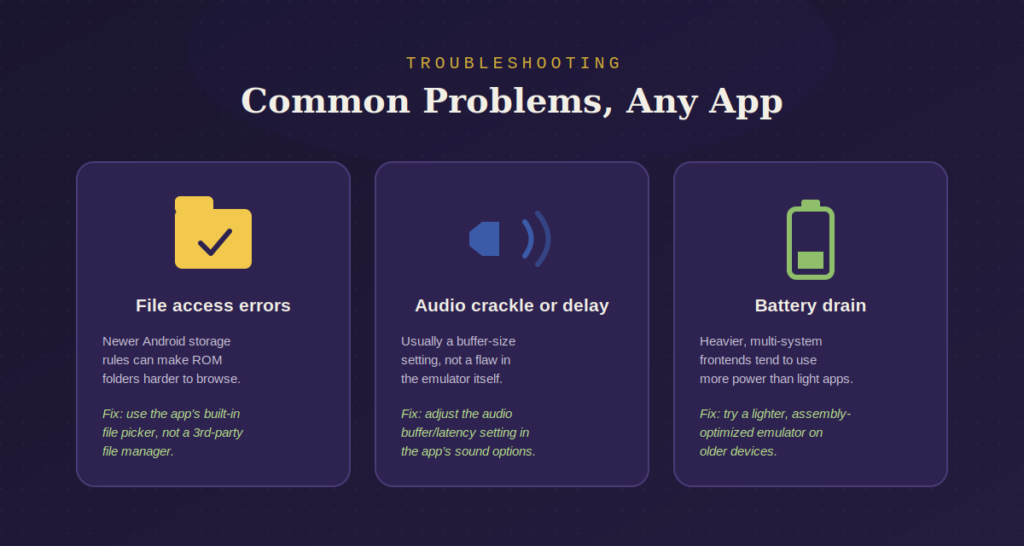
- File access errors on newer Android versions. Android’s storage access framework restricts direct file-system access more than it used to, which can make ROM folders harder to browse in some apps. This isn’t unique to My Boy! — it affects most emulators to some degree, and is usually solved by using the app’s built-in file picker rather than a third-party file manager.
- Audio crackling or delay. This is typically a buffer-size setting rather than a fundamental flaw in the emulator. If you run into it, our walkthrough on fixing audio buffer and lag issues in GBA emulation applies across most of the apps listed here, not just one specific emulator.
- Battery drain on older devices. Lighter, assembly-optimized apps like Pizza Boy GBA or GBA.emu tend to be gentler on battery than heavier frontends like RetroArch. Our tips for making games run faster on low-end mobile devices cover settings that help regardless of which emulator you choose.
Frequently Asked Questions
Is My Boy! still the best GBA emulator for Android? It’s still one of the most widely used and reliable options, and its official feature set (cheat codes, link play, controller support) covers what most people need. It just hasn’t received a substantive update in several years, which is why apps like Linkboy or Pizza Boy GBA are worth comparing before you commit.
What replaced My Boy!? The same developer now publishes Linkboy, which its own Google Play listing describes as the successor to the My Boy! emulator series, with added features like RetroAchievements and cross-device link play.
Do GBA emulators support Pokémon trading? Several of these apps, including My Boy!, Linkboy, and RetroArch’s netplay features, support link cable emulation, which is what Pokémon trading between two game instances relies on. For a closer look at getting this working reliably, see our guides on how Pokémon trading works in My Boy! and setting up My Boy! Link Play between two Android phones.
Are GBA emulators legal to use on Android? Emulator software itself is generally legal. The legal risk comes from downloading copyrighted ROM files you don’t own, not from installing emulator apps. Always obtain game files through means appropriate to your jurisdiction.
Which GBA emulator uses the least battery? Lightweight, assembly-optimized apps such as Pizza Boy GBA and GBA.emu are generally reported as easier on battery than heavier, multi-system frontends like RetroArch, though actual results vary by device.
Can I use cheat codes in any of these emulators? Yes — My Boy!, Linkboy, Pizza Boy GBA, John GBA, RetroArch, and GBA.emu all support some form of cheat code entry, though the exact format (GameShark/Action Replay strings versus .clt cheat files) differs by app.
MyBoyAPK.com is an independent guide site and is not the official developer of My Boy! or any other emulator listed above. Feature and update information referenced here comes from each app’s official Google Play listing at the time of writing; always check the current listing before installing, since apps are updated over time.