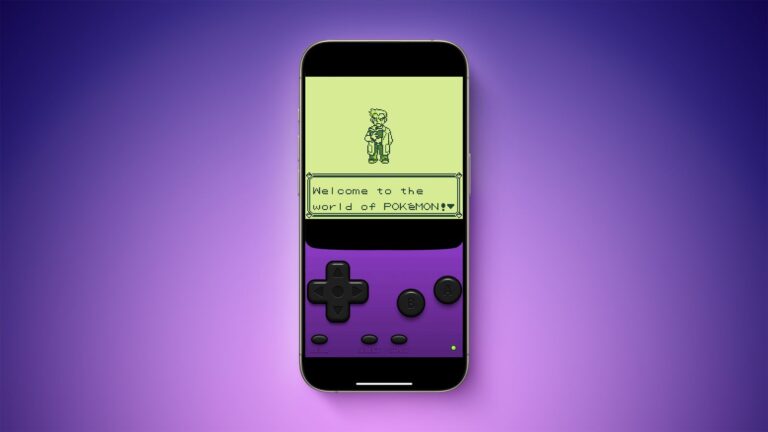
Pokémon FireRed is one of the most commonly played titles on My Boy!, but a few of its quirks — the RTC (real-time clock) features, the flash-save format, and a couple of link-play limitations — trip up first-time users. This guide covers the settings, fixes, and troubleshooting steps specific to FireRed. If you’d rather play it through a browser first before committing to the emulator route, we also have a guide on how to set up and play FireRed online on mobile.
| Genre | RPG |
| Save Type | Flash save (in-game “Save” menu) |
| RTC Support | Yes — affects berries, in-game clock events, some Trainer rematches |
| Link Play Support | Yes — trading and battling supported |
| Recommended Fast Forward | 2x–3x (4x can skip dialogue triggers) |
| Known Issues | RTC drift, occasional battle animation slowdown on older devices |
- Recommended My Boy! Settings for FireRed
- Common FireRed-Specific Problems
- Berries not growing / time-based events not triggering
- Battle animations lagging on older phones
- ROM won’t load or My Boy! crashes on launch
- Save file appears to “reset” after emulator update
- Link Play (Trading & Battling)
- Cheat Codes
- Free vs Pro: Does It Matter for FireRed?
Recommended My Boy! Settings for FireRed
- Frame Skip: Leave on Auto. Manually forcing frame skip above 1 tends to make battle transitions stutter in FireRed specifically.
- Sound Emulation: Keep on “Normal” — FireRed’s cry/sound engine can desync on the low-latency audio mode on some devices. If you notice crackling during battle cries, our audio buffer and lag fix guide covers the deeper settings.
- Real-Time Clock: Make sure RTC is enabled in My Boy!’s settings menu. Without it, Berry growth, the Daily Trainer rematch system, and some NPC dialogue tied to time of day won’t work correctly.
- Fast Forward Multiplier: 2x–3x is the sweet spot. Grinding at 4x can occasionally cause the emulator to skip past a dialogue box trigger, softlocking a scripted event. If you’re getting audio stutter while fast-forwarding, see how to use fast forward without audio glitches.
Common FireRed-Specific Problems
Berries not growing / time-based events not triggering
This is almost always the RTC setting being off, not a bug in the ROM itself. Enable RTC in My Boy!’s emulation settings and make sure your device’s system clock is accurate — FireRed’s internal clock is tied to it.
Battle animations lagging on older phones
The battle transitions are one of the heavier stretches in this game engine-wise. If you’re on a budget device, turning off “Battle Scene” animations from the in-game Options menu helps, and pairing that with our low-end phone performance tips and guide to making games run faster on low-end devices should smooth things out further.
ROM won’t load or My Boy! crashes on launch
If FireRed specifically won’t open — freezing on a black screen or crashing back to the home screen — this is usually a file path or corrupted-header issue rather than anything wrong with your device. Walk through our complete fix guide for My Boy! not loading ROM files before reinstalling anything.
Save file appears to “reset” after emulator update
FireRed uses a flash-save format, and My Boy! occasionally shifts save file paths after major app updates. Your data usually isn’t gone — see our guide to transferring GBA saves between Android devices and how save states work in My Boy! for how to locate and restore it.
Always back up your .sav file before updating My Boy! to a new version — check our complete guide to My Boy! APK versions to see what changed before you upgrade.
Link Play (Trading & Battling)
FireRed supports My Boy!’s Link Play feature for trading and battling with a friend running the same or a compatible title (Leaf Green). For the connection steps themselves, follow our guide to setting up reliable link play between phones first, then start the link session from the in-game PC or Union Room before opening My Boy!’s link menu. For exactly how trades are handled inside the emulator, see how Pokémon trading works in My Boy!.
Cheat Codes
My Boy! supports standard GameShark and Action Replay code formats for FireRed. We don’t publish codes directly on this site, but if you’re setting up cheats for the first time, start with our guide to setting up cheats in My Boy! (GameShark, Codebreaker, Action Replay), and our updated 2026 GameShark and Action Replay guide if codes are failing to apply. Double-check your ROM revision matches the code list’s intended version — mismatched revisions are the most common reason codes fail silently.
Free vs Pro: Does It Matter for FireRed?
FireRed itself runs identically on both versions — the difference is quality-of-life, mainly save state slots and ads. If you’re deciding which to install, our complete comparison of My Boy! vs My Boy! Free breaks down what you actually lose by staying on the free tier.
Related Guides
How to Transfer GBA Saves Between Android Devices
How to Use Fast Forward Without Audio Glitches
How to Save and Load States in My Boy!How to Set Up Cheats in My Boy!
How Pokémon Trading Works in My Boy!
How to Set Up and Play FireRed Online on Mobile
This guide reflects hands-on testing on real Android devices and is updated when new My Boy! versions or Android changes affect these steps. myboyapk.com is an independent fan/guide site and is not affiliated with Nintendo, Game Freak, or the My Boy! developer. We do not host or distribute ROM files.