- Introduction: Retro Gaming Never Died — It Just Moved to Android
- What Is My Boy GBA Emulator APK?
- My Boy APK Versions Explained
- My Boy v1.8.0 — The Classic Stable Build
- My Boy v1.8.0.1 — The Bug Fix Release
- My Boy v2.0.6 — The Performance Overhaul
- My Boy v2.0.9 — The 2026 Current Release
- How My Boy Emulator Works (Without the Engineering Jargon)
- Key Features of My Boy APK
- Save States
- Fast Forward (2x–16x)
- Cheat Code Support (GameShark & Action Replay)
- Bluetooth & WiFi Multiplayer (Link Cable Emulation)
- GLSL Shader Support
- Hardware Controller Support
- How to Install & Set Up My Boy APK
- Performance Optimization: Getting Smooth Gameplay on Any Phone
- Frame Skip
- Rendering Resolution
- Audio Settings
- Battery Optimization
- Low-End Phone Specific Tips
- Multiplayer & Link Cable Feature
- Cheats & Advanced Features
- Graphics Enhancements: Shaders & Filters
- Free vs. Full Version — What’s the Difference?
- Common Problems & How to Fix Them
- Black Screen After Loading ROM
- Game Won’t Load / File Not Found
- Save State Errors
- Audio Crackling or Lag
- The Future of My Boy Emulator
- FAQ — My Boy APK 2026
- Final Thoughts
Introduction: Retro Gaming Never Died — It Just Moved to Android
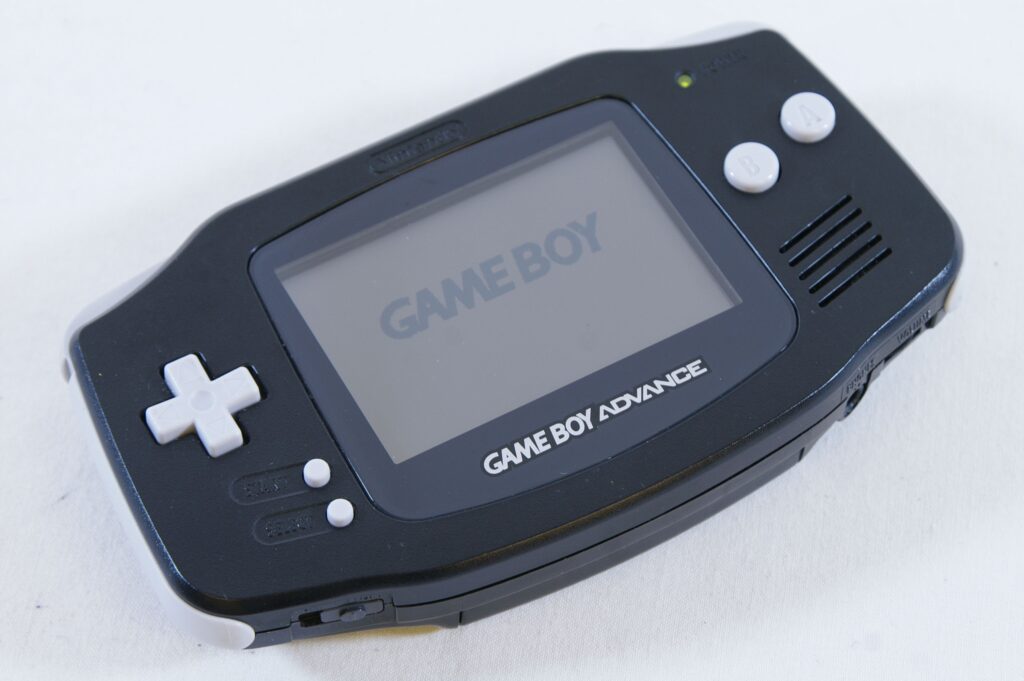
Game Boy Advance was one of the greatest handheld consoles ever made. Pokémon FireRed, Metroid Fusion, Golden Sun, Castlevania — hundreds of legendary titles that an entire generation grew up with. And now, every single one of them runs in your pocket on Android.
My Boy APK is the reason that’s possible.
In 2026, My Boy APK remains the most powerful, accurate, and feature-rich GBA emulator available on Android. Whether you’re a first-time emulator user or someone who’s been playing ROMs since the early days of Android, this guide covers everything — from downloading and setting up the emulator, to squeezing perfect 60 FPS performance out of even a budget phone.
This is your complete hub for everything My Boy. Bookmark it. You’ll come back.
What Is My Boy GBA Emulator APK?
An emulator is software that mimics the hardware of one device on another. My Boy is a Game Boy Advance emulator — it recreates the GBA’s processor, memory, and graphics pipeline entirely in software, letting your Android phone run original GBA game files (called ROMs) as if it were the real hardware.
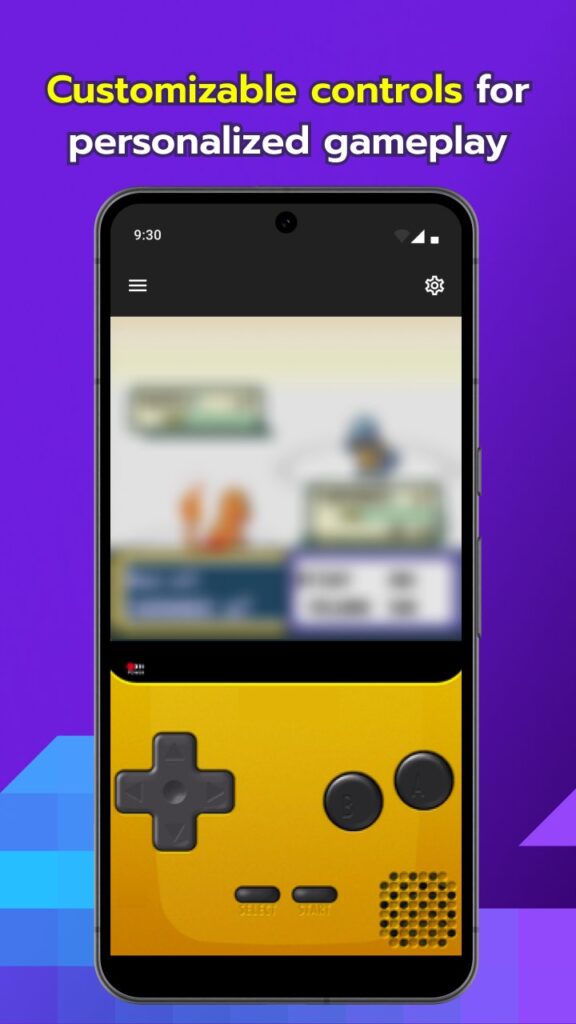
The Game Boy Advance was a 32-bit handheld console released by Nintendo in 2001. It had a massive library of over 1,500 games and sold nearly 82 million units worldwide. Games like Pokémon Emerald, The Legend of Zelda: The Minish Cap, and Mega Man Zero defined an era.
My Boy APK brings all of that to Android — with added features the original hardware never had: save states, fast-forward, cheat codes, link cable multiplayer over Bluetooth, and full graphics shader support.
It works on Android 5.0 and above, runs on low-end and flagship devices alike, and requires no BIOS file to get started. It’s the go-to GBA emulator for Android for a reason.
My Boy APK Versions Explained
ge to:
“My Boy has gone through several important updates over the years. Each version addressed specific bugs, performance issues, or compatibility needs. For the full breakdown, see the Complete Guide to My Boy GBA Emulator APK Versions. Here’s what you need to know about each one.
My Boy v1.8.0 — The Classic Stable Build
This was the version that built My Boy’s reputation. Released years ago, v1.8.0 became the gold standard for GBA emulation on Android — stable, accurate, and compatible with nearly every GBA ROM. Many users still prefer this version for its reliability on older Android phones (Android 5–8).
My Boy v1.8.0.1 — The Bug Fix Release
A minor but meaningful update to the 1.8.0 branch. This version patched several crash issues related to save state loading and certain ROM compatibility edge cases. If you’re running v1.8.0 and experiencing instability, v1.8.0.1 is the version to switch to. Still ideal for older hardware.
My Boy v2.0.6 — The Performance Overhaul
Version 2.0.6 marked a major architectural jump. The rendering engine was optimized, OpenGL ES improvements were introduced, and audio timing was refined. This version dramatically expanded compatibility with Android 9–12 devices and brought smoother frame rates to mid-range phones that previously struggled.
My Boy v2.0.9 — The 2026 Current Release
The latest and most advanced version. My Boy v2.0.9 has been rebuilt for Android 13–15’s modern storage architecture (Scoped Storage) and optimizes performance for current-generation processors — including Snapdragon 8-series and MediaTek Dimensity chipsets. If you’re on a modern Android device, this is the version to use. Full details in the My Boy APK v2.0.9 Master Handbook.
How My Boy Emulator Works (Without the Engineering Jargon)
You don’t need a computer science degree to understand this — but knowing the basics helps you troubleshoot and optimize.
My Boy uses High-Level Emulation (HLE). Instead of precisely simulating every single transistor of the GBA hardware (which would require enormous processing power), it translates GBA instructions into equivalent Android CPU instructions at a high level. The result: accurate gameplay at a fraction of the processing cost.
No BIOS required. The original GBA hardware needed a BIOS file to boot. My Boy has its own built-in replacement BIOS, so you can load a ROM and start playing immediately — no extra files needed.
OpenGL rendering handles graphics. My Boy sends visual output through Android’s OpenGL ES pipeline, which allows hardware-accelerated rendering, shader support, and smooth scaling to any screen resolution.
The performance target is 60 FPS — the native framerate of GBA hardware — and on any modern Android phone, My Boy hits this consistently with the right settings.
Key Features of My Boy APK
Save States
Save your progress at any point in a game — not just at in-game save points. My Boy supports multiple save state slots per game, so you can keep different progress checkpoints. This is the feature that makes tough games actually beatable.
Fast Forward (2x–16x)
Speed up gameplay up to 16 times normal speed. Grind faster, skip cutscenes, fly through repetitive sections. The speed is adjustable, and you can toggle it with a button during gameplay.
Cheat Code Support (GameShark & Action Replay)
My Boy supports GameShark codes, Action Replay codes, and multi-line cheats. Enter codes directly in the emulator’s cheat menu and toggle them on or off without restarting your game. Full setup walkthrough in the How To Use GameShark and Action Replay 2026 guide.
Bluetooth & WiFi Multiplayer (Link Cable Emulation)
This is the feature that separates My Boy from every other GBA emulator. My Boy can emulate the GBA Link Cable over Bluetooth or WiFi — meaning two Android phones can connect and play multiplayer GBA games together. Trade Pokémon, race in Mario Kart, fight in Super Street Fighter. Details in [My Boy APK Guide for Setup and Performance].
GLSL Shader Support
Apply real-time graphics filters to change how games look. CRT scanline effects, pixel smoothing, color correction — shaders let you customize the visual style of every game. Full shader setup guide in [Realistic Retro Shaders Using Video Filters for Better Graphics].
Hardware Controller Support
Connect any Bluetooth gamepad or USB controller (with OTG adapter) and map all buttons exactly how you want. My Boy’s control mapping is fully customizable — layout, sensitivity, and deadzone.
How to Install & Set Up My Boy APK
Getting My Boy running takes less than five minutes. Here’s the quick version:
Step 1 — Enable Unknown Sources. Go to Android Settings → Security (or Apps, depending on your Android version) → toggle on “Install from Unknown Sources” or “Allow from this source.” This lets you install APKs from outside the Play Store.
Step 2 — Download the APK. Get the correct version from myboyapk.com. Always download from a trusted source to avoid modified or malicious files.
Step 3 — Install. Tap the downloaded APK file. Android will ask for confirmation — tap Install.
Step 4 — Prepare Your ROMs. Create a folder on your phone (e.g., /Internal Storage/GBA ROMs/) and place your GBA ROM files (.gba format) there.
Step 5 — Launch and Load. Open My Boy, tap the folder icon, navigate to your ROMs folder, and tap a game to start playing.
For a detailed walkthrough with screenshots, see the My Boy APK Guide for Setup and Performance
Performance Optimization: Getting Smooth Gameplay on Any Phone
Performance is where most users struggle — especially on budget or older Android phones. Here’s what actually works.
Frame Skip
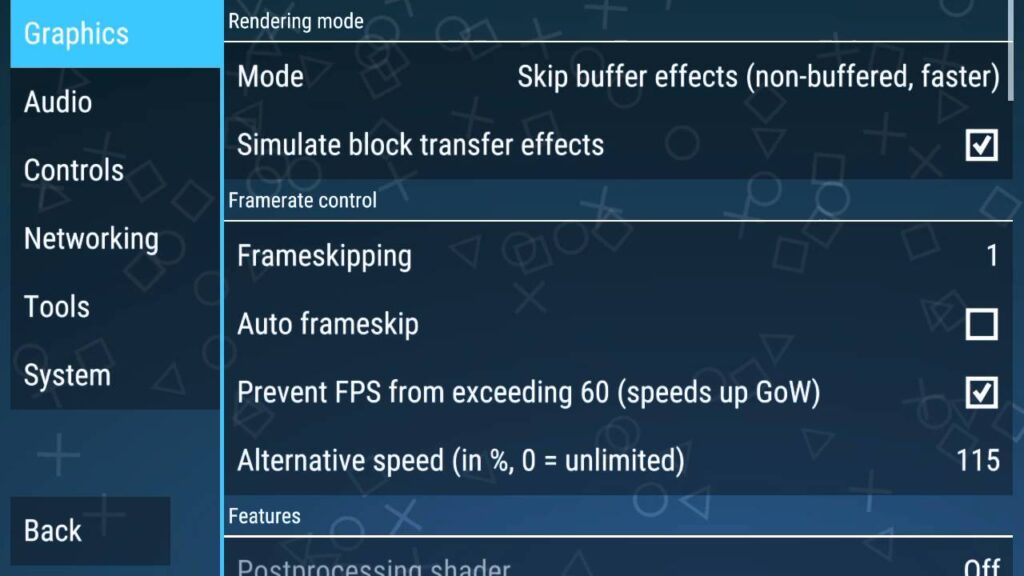
In My Boy settings, set Frame Skip to 1 or 2 on low-end devices. This drops occasional frames to maintain real-time audio sync, which feels smoother than full frames with audio lag. Find this under Settings → Emulation.
Rendering Resolution
Keep rendering at 1x or 2x on low-end phones. Higher rendering scales look better but demand more processing power. On budget phones, stick to 1x — the difference is barely visible on a small screen.
Audio Settings
Audio processing is one of the biggest performance drains. In Settings → Sound, reduce Sound Latency to a lower buffer size if your phone can handle it, or increase it if you’re hearing crackling. Full audio troubleshooting in How to Resolve Audio Buffer and Lag Issues for GBA Emulation.
Battery Optimization
Disable battery optimization for My Boy in Android settings. Navigate to Settings → Battery → App Battery Usage → My Boy → set to “Unrestricted.” This prevents Android from throttling the app’s CPU access mid-game.
Low-End Phone Specific Tips
For budget phones, disabling the rendering thread sync and switching to software rendering (if OpenGL causes issues) can make a significant difference. Complete optimization breakdown in Low-End Phone Specific Tips for Better GBA Emulation Performance.
Multiplayer & Link Cable Feature
My Boy’s link cable emulation is genuinely remarkable — it replicates a feature that required a physical cable and two GBA units back in 2001.
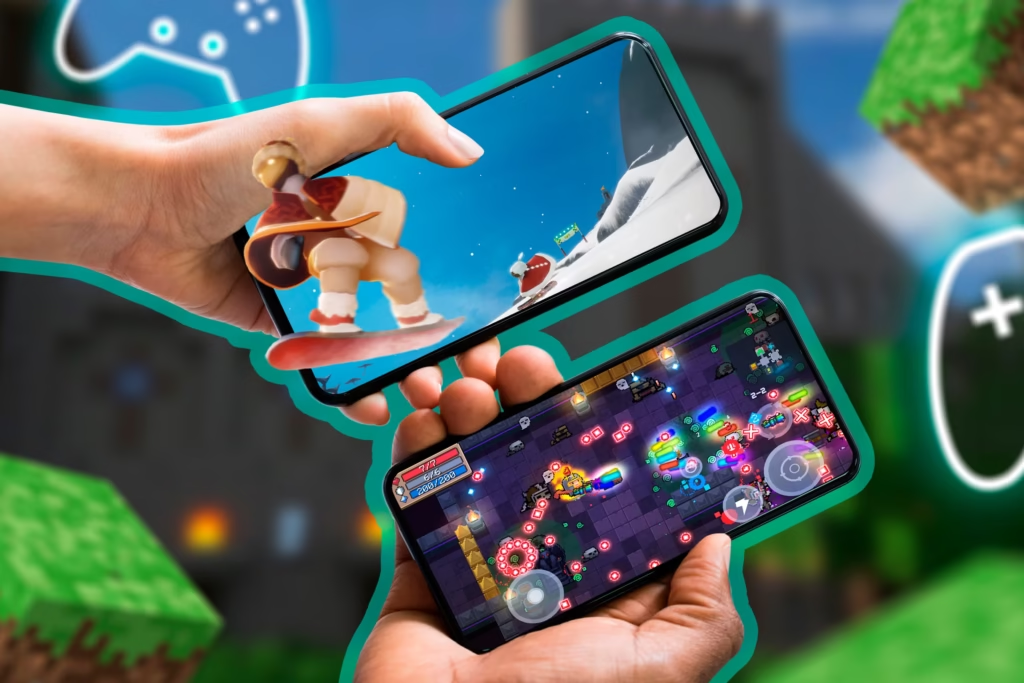
Bluetooth multiplayer works between two Android phones running My Boy, connected over Bluetooth. One player hosts, the other joins, and the emulator handles the rest. Latency is low enough for turn-based games (Pokémon trading, Fire Emblem) but may vary for fast-paced action games.
WiFi multiplayer uses your local network and generally offers lower latency than Bluetooth, making it better for real-time games. Both phones need to be on the same WiFi network.
Compatible games include the entire Pokémon GBA series, Mario Kart: Super Circuit, and most other games that originally supported link cable play.
Full setup instructions in How to Set Up My Boy APK Link Play Between Two Android Phones
Cheats & Advanced Features
My Boy has one of the most complete cheat code implementations of any mobile emulator. It supports:
- GameShark codes — the most common GBA cheat format
- Action Replay codes — including encrypted and multi-line codes
- Code Breaker codes — an older but still widely supported format
To add a cheat: go to the in-game menu → Cheats → New Cheat → enter the code and a name → toggle it on. Cheats can be enabled or disabled without restarting the game.
For a complete list of popular GBA game codes, see How To Use GameShark And Action Replay 2026
Graphics Enhancements: Shaders & Filters
Stock GBA graphics were designed for a 240×160 screen. On a modern 6-inch 1080p phone, pixels can look blocky. Shaders fix this — and they can make games look either more authentic or more modern, depending on what you prefer.
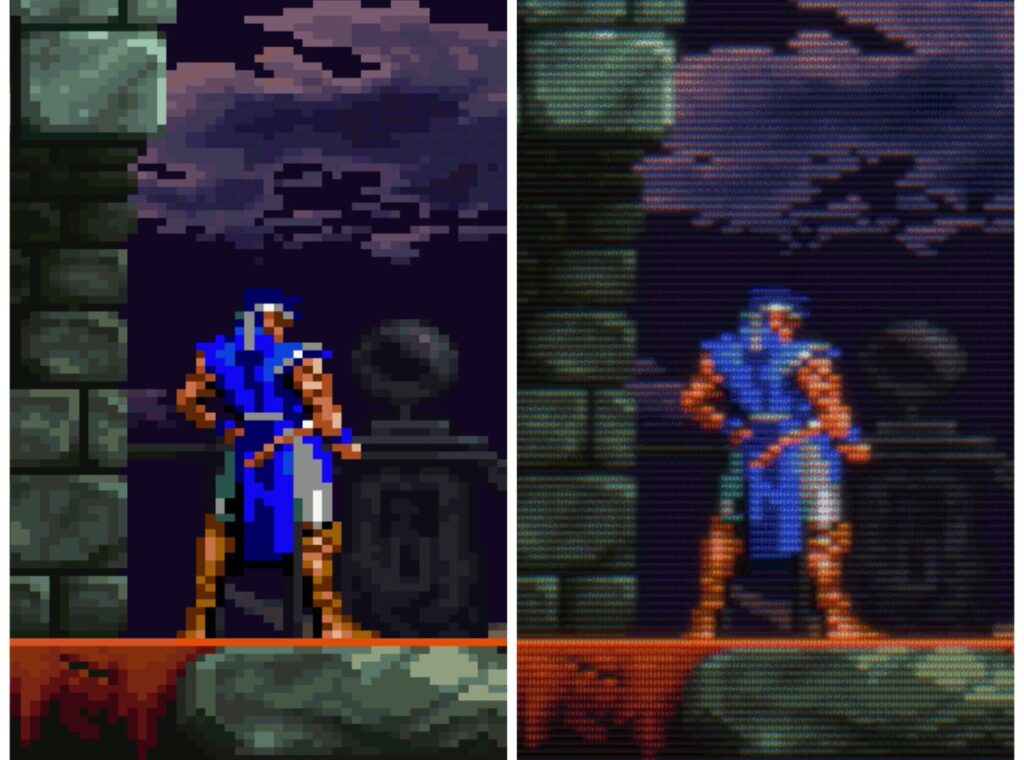
CRT Scanline Shaders add the horizontal line effect of old CRT monitors — ironically making pixelated games look more “correct” and nostalgic.
Bilinear Smoothing blurs pixel edges slightly, reducing the blocky look on large screens without completely changing the art style.
GLSL Shaders are advanced programmable filters. My Boy supports custom GLSL shader files, giving you fine-grained control over exactly how games render visually.
For a complete shader setup walkthrough — including download links for popular shader packs — see Realistic Retro Shaders Using Video Filters for Better Graphics.
Free vs. Full Version — What’s the Difference?
My Boy comes in two tiers:
My Boy Free — the no-cost version — is a capable emulator with core functionality. You can load and play most GBA games without paying anything. However, it lacks several key features: no link cable multiplayer, limited save state slots, no fast-forward speed control, and no shader support.
My Boy Full (Premium) unlocks everything: full link cable emulation, unlimited save states, hardware controller support, all fast-forward speeds, GLSL shaders, and sync to external storage. For anyone serious about GBA emulation on Android, the premium version is worth it.
The upgrade is a one-time purchase — no subscription. See a full breakdown at My Boy Standard Edition – Free GBA Emulator for Android.
Common Problems & How to Fix Them
Black Screen After Loading ROM
Usually caused by an incompatible or corrupted ROM file. Verify the ROM’s integrity (check the file size matches known good dumps) and try re-downloading. Also check that your Android storage permissions are correctly granted to My Boy.
Game Won’t Load / File Not Found
My Boy needs file access permissions on Android 11+. Go to Android Settings → Apps → My Boy → Permissions → Files and Media → set to “Allow access to media only” or “All files.” Also confirm your ROMs are in a folder that isn’t restricted by Scoped Storage.
Save State Errors
If save states fail to load, the ROM or save state file may be from a different version of My Boy. Save states are not always cross-compatible between major versions. Use in-game saves (the game’s actual save system) as your primary backup.
Audio Crackling or Lag
Usually a buffer size issue. Go to Settings → Sound → increase or decrease the audio buffer until crackling stops. Also check if any Android system sound effects or notifications are interfering.
Full troubleshooting walkthrough in [My Boy APK Guide for Setup and Performance].
The Future of My Boy Emulator
GBA emulation on Android is effectively “solved” — the hardware is simple enough that modern phones can run it perfectly. But My Boy continues to evolve in important ways.
Android 15–16 compatibility is the primary focus of recent updates. Google’s ongoing storage and permission changes require constant adaptation from emulator developers, and My Boy has stayed ahead of these changes.
Cloud save integration is an area of growing interest. The ability to sync save files across devices — or back them up automatically — would be a significant quality-of-life improvement that aligns with how modern mobile gamers expect apps to work.
Controller ecosystem growth continues to expand what’s possible on mobile. As Bluetooth game controllers become more common, My Boy’s hardware controller support becomes increasingly valuable.
The emulator’s core is stable. Future updates are about refinement, compatibility, and user experience — not fundamental changes.
FAQ — My Boy APK 2026
Is My Boy APK safe to download?
Yes — when downloaded from the official source at myboyapk.com. Avoid third-party APK sites that may bundle modified or malicious versions.
Does My Boy need a BIOS file?
No. My Boy includes a built-in BIOS replacement. You can start playing ROMs immediately without sourcing a BIOS file.
Can My Boy run all GBA games?
My Boy has very high compatibility — well above 95% of the GBA library plays correctly. A small number of games with unusual hardware tricks may have minor issues.
Which version of My Boy should I use in 2026?
For modern Android phones (Android 11+), use v2.0.9. For older phones on Android 8–10, v2.0.6 or v1.8.0.1 may be more stable.
How do I fix lag in My Boy?
Enable frame skip (set to 1), reduce rendering resolution to 1x, disable unnecessary audio features, and remove battery optimization restrictions on the app. Full details in [How to Make Games Run Faster on Low End Mobile Devices].
How do I use cheat codes?
Go to the in-game menu → Cheats → New Cheat → enter your GameShark or Action Replay code. Full guide in [How To Use GameShark and Action Replay 2026].
Can I trade Pokémon using My Boy?
Yes — using My Boy’s link cable emulation over Bluetooth or WiFi. Both players need My Boy on the same network. Full setup in Pokemon Trade using My Boy APK Guide .
Does My Boy support hardware controllers?
Yes — the full (premium) version supports any Bluetooth or USB gamepad with fully customizable button mapping.
Final Thoughts
My Boy APK is not just the best GBA emulator for Android — it’s one of the best mobile emulators ever made, full stop. It’s accurate, fast, feature-packed, and actively maintained in 2026. Whether you’re replaying Pokémon Emerald for the hundredth time or finally finishing Fire Emblem: The Sacred Stones, My Boy gives you the best possible experience.
This pillar guide is your starting point. Each topic covered here has a deeper dedicated guide linked throughout — use them.
Start playing.